Overview
Typed i18n where your JSON is the API
Intl-T
intl-t is a fully-typed, object-based internationalization (i18n) library for TypeScript, React, and Next.js. It offers a type-safe and amazing developer experience for managing translations in modern applications.
nivandres/intl-t
295
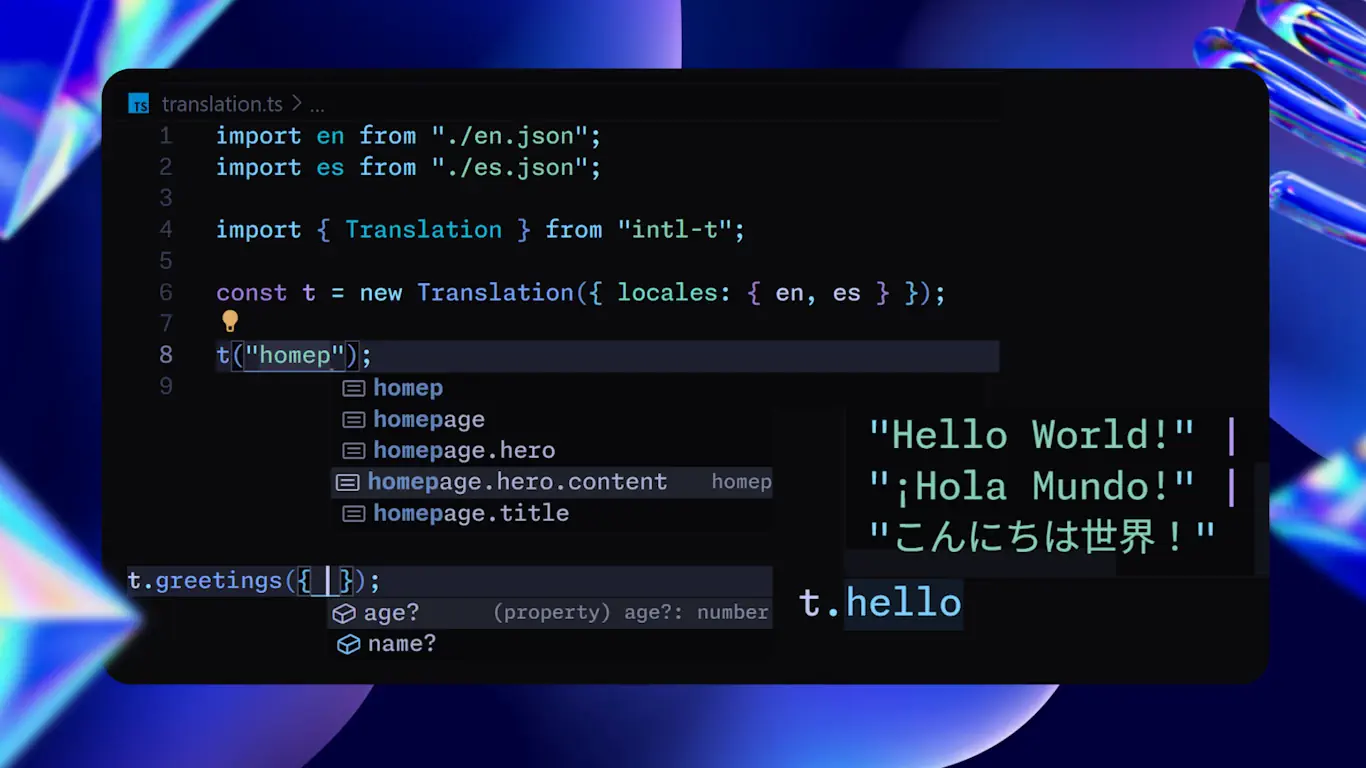
Your message file is the API. Write JSON, get a fully typed tree, with autocomplete on every key, at every depth, and the variables each message declares inferred for you.
Try it
No key registry to keep in sync. No t("some.string.you.hope.exists"). No codegen step.
("- homepage
- homepage.title
- homepage.welcome
- homepage.items
- homepage.hero
- homepage.hero.cta
");
Type a dot and TypeScript walks your JSON with you.
In your app
"use client";

import { useTranslation } from "@/i18n/translation";

export function Hero() {
  const t = useTranslation("homepage");

  return (
    <>
      <h1>{t.title}</h1>
      <p>{t.welcome({ user: "Ada" })}</p>
      <p>{t.items({ count: 3 })}</p>
      <button>{t.hero.cta}</button>
    </>
  );
}import { getTranslation } from "@/i18n/translation";
export default async function Page() {
const t = await getTranslation("homepage");
return (
<>
<h1>{t.title}</h1>
<p>{t.welcome({ user: "Ada" })}</p>
</>
);
}import { t } from "./i18n/translation";
const tl = t[locale]; // this request's branch
console.log(String(tl.homepage.welcome({ user: "Ada" })));A node renders straight into JSX. Call it to inject variables. Walk it to go deeper. It is the same object all the way down.
The numbers
| Bundle | 5.6 KB gzip (core) · 7.7 KB gzip (provider + hook, react external) — the same client scenario measures 12.4 KB in next-intl |
| Dependencies | Zero third-party. The @intl-t/* packages are this library, split by surface. |
| Startup | Creating a loader-backed tree is O(1) — ~6µs whether it holds 100 keys or 5,000 |
| Throughput | ~1M plain reads/sec · ~120k interpolated renders/sec — a 500-string page renders its text in ~2ms |
| Tree-shakable | Import intl-t/utils and nothing else ships |
Why Intl-T
Honest version — here is where it wins, and where it doesn't.
It wins on developer experience. The typed tree with variable inference is something flat-key libraries structurally cannot
do: they hand you a string and hope. Here, t.account.options.change is a real path your compiler checks, and the variables it
needs are part of its type.
It wins on routing flexibility. Intl-T separates where the locale comes from (strategy) from what the URL looks like
(pathPrefix). That lets you have /es/about URLs without an [locale] folder, or fully static pages with the locale hidden —
combinations other Next.js i18n libraries cannot express. See Routing.
It wins on weight. Zero third-party dependencies, tree-shakable, and the realistic client runtime is ~40% lighter than next-intl's (7.7 KB vs 12.4 KB min+gzip, react external). On servers, cold start stays flat as your tree grows.
Other libraries are still the safer pick if you need a larger ecosystem, a bigger community answering questions, or an off-the-shelf translation-management integration today — they are battle-tested at a scale Intl-T is not. If those matter more than the DX, keep what you have. And if you're curious how far typed i18n can go, try the migration: your message files carry over unchanged.
Everywhere you render
| Next.js App Router | RSC, server actions, request locale, routing proxy |
| Next.js Pages Router | getServerSideProps, provider, hooks |
| React (Vite, CRA, …) | Provider, hooks, JSX injection, localStorage persistence |
| Node, Bun, Deno | The core tree, no framework |